
 Rath Finance
How-To Guides
Register WebSocket
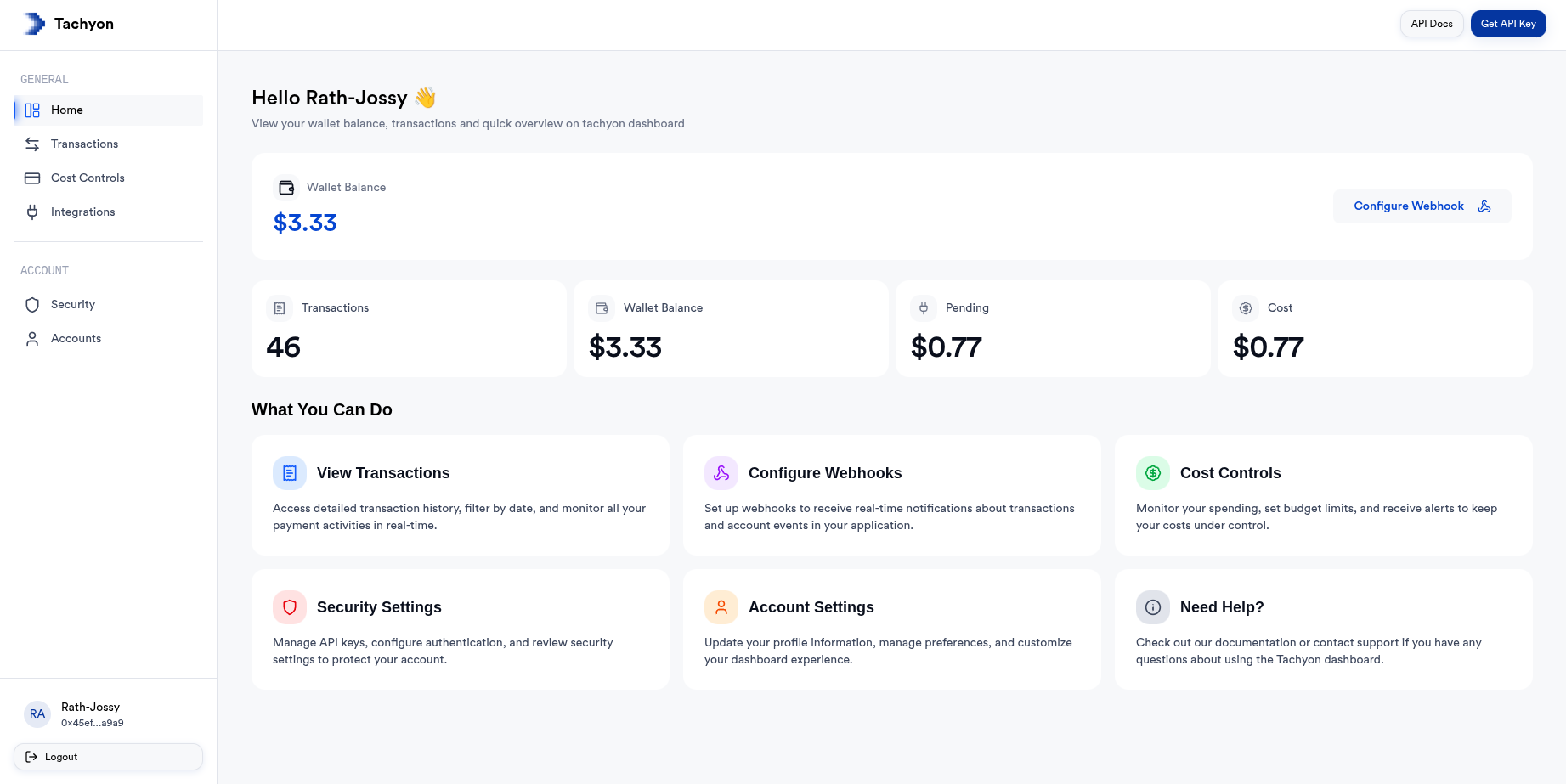
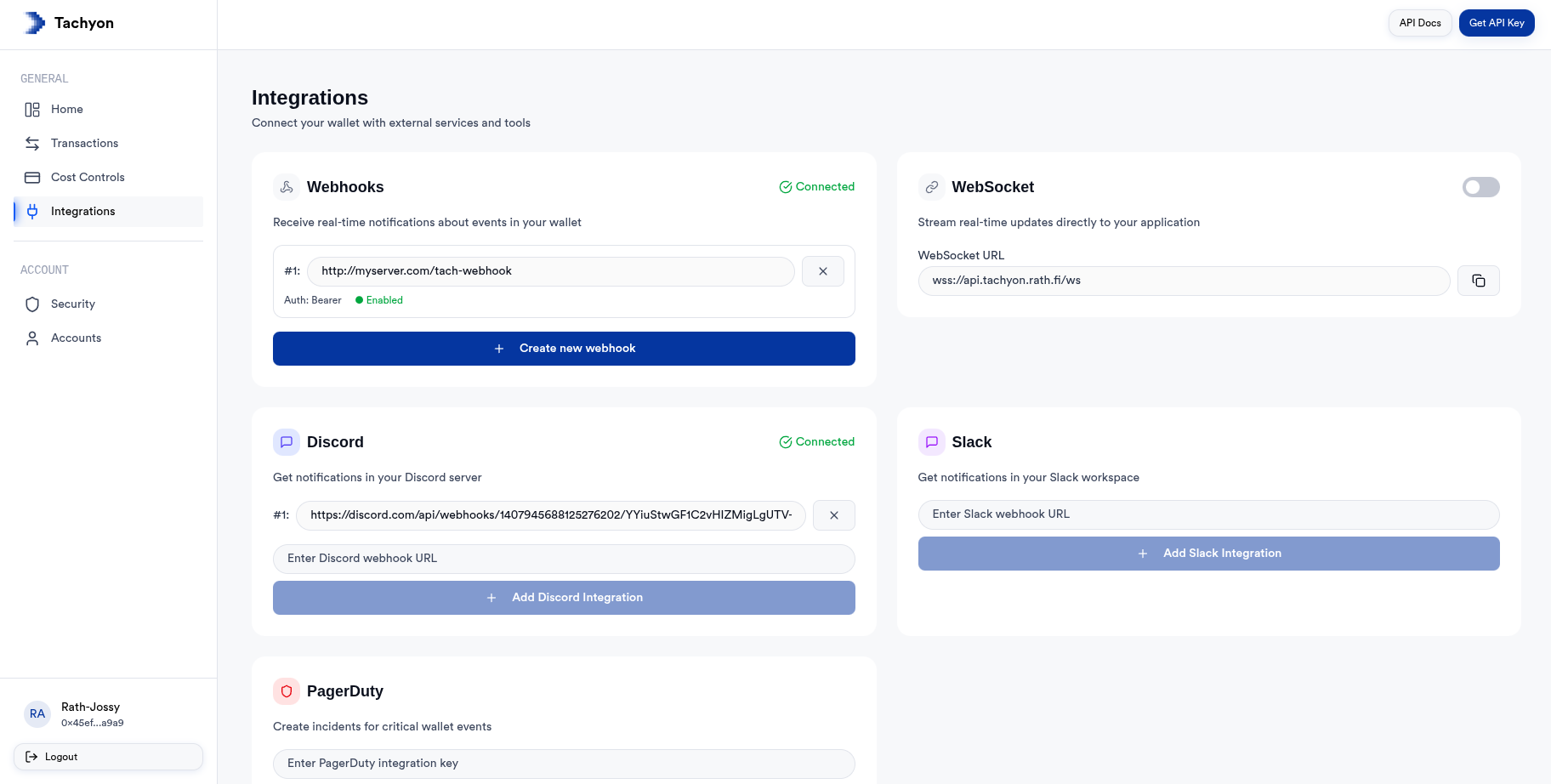
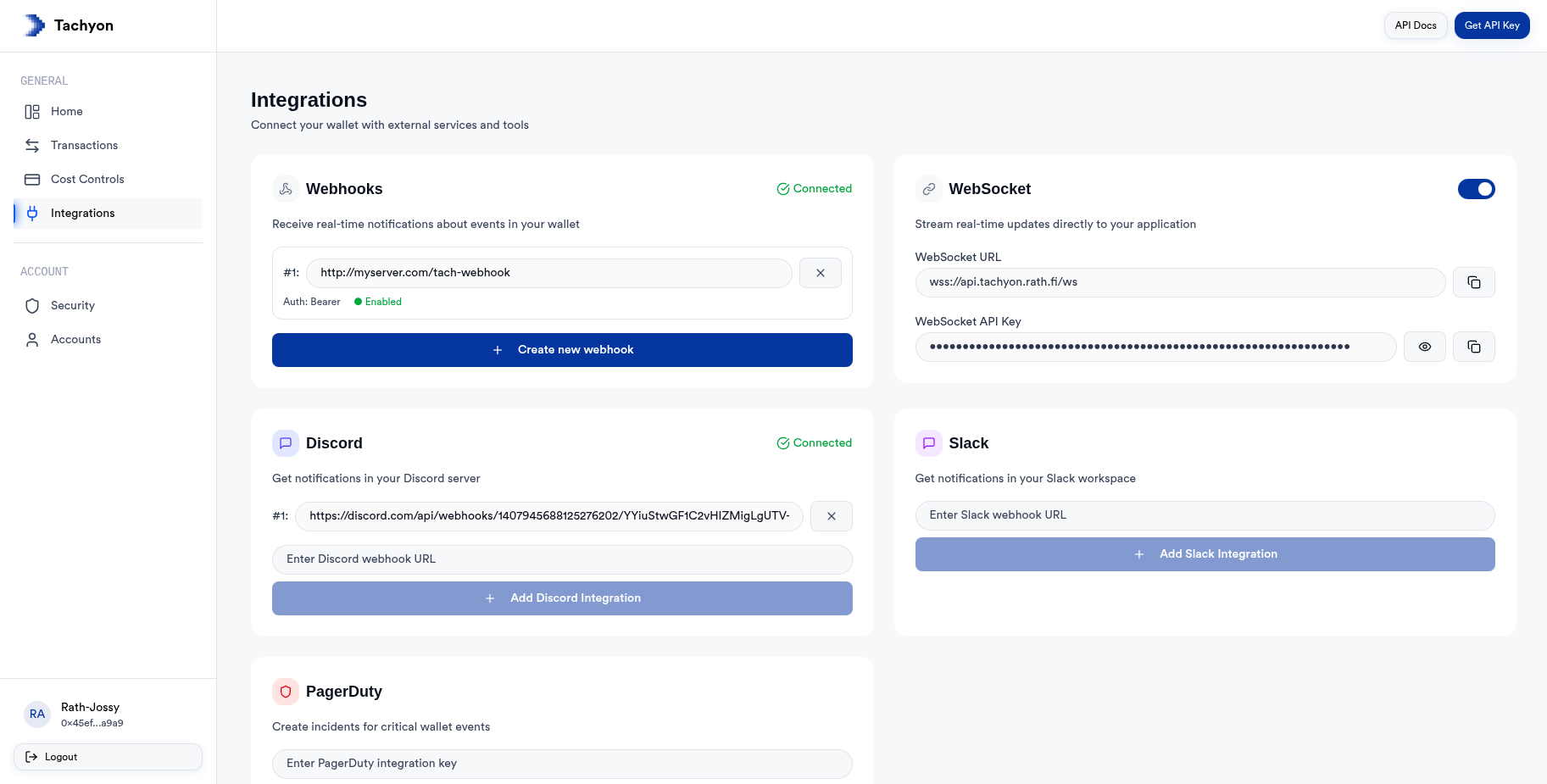
Step-by-step guide to register a WebSocket in Tachyon dashboard for real-time transaction updates, balance alerts, and circuit breaker events.
Once the Tachyon account is set up, follow these steps to register a webhook to get transaction updates, balance alerts, and circuit breaker events.
Go to Websocket usage examples to see examples of websocket connection and usage using the Tachyon SDK.